Planning Hardware Logistics and Power Infrastructure

I agree that hardware logistics is one important things. That is not simple. There are many factor that we must considering to distribute hardware logistics. We must have good plans and perfect scenario before we distribute hardware logistic. First, we must determine whether our infrastructure is equipped to handle the new or additional computers we intend to deploy. It's very important for us to plan it. And the second things, how about power infrastructure? The electrical systems of many older buildings were not designed for modern computing environments. Even if we’re using infrastructure that supported our previous computing resources, we should double-check the power requirements for our new hardware and make sure that our infrastructure can handle the load. And we know we need good management for hardware logistic. To ensure the continued health of our deployed computers, we should develop usage policies and a plan to enforce those policies.
And the number three is about usage policies. The larger the number of deployed systems, the more rules need to be in place to keep problems under control. Thus, smaller organizations tend to have more liberal usage policies, and larger organizations tend to require more control. Also, different types of users often require different usage policies.

Web Directories

If you have a new site or blogs, the next your needed is make your site or blogs SEO friendly. Why? Because if your site or blogs does'nt SEO friendly, your site or blogs will have no traffic. If it happens, it's very poor for you. And the next questions is how to make your site or blogs SEO friendly? Is it difficult? Offcourse not. It's easy, very easy. I'll tell you about that.

There are many ways to make your blogs SEO friendly. You can registering your blog to famous search engine such as Google, Yahoo, MSN, Altavista and many others. You can make link exchange with another famous blog, too. Offcourse with another blogs that have similar topic with your blogs. And another way that you can do is registering your blog to web directories. There are many web directories online that you can choose.

DMOZ is one of the famous web directories. You can put your blog here for free, but don't forget to choose the related topic with your blog. Another famous web directories is Yahoo Directories. You can put your blogs here. Needs more web directories? Don't worry. Here they are. Jasmine Directory is one of the another SEO friendly web directory that you can choose to put your site or blogs. You can choose the right category that similar with your site or blogs. And you will get more traffic to your site or blog. And the next web directory that you can choose is Max Directory, one of the right choise for you. Just believe me. Try to registering your site or blogs there and get more and more traffic to your site or blogs.

Mengumpulkan Dollar dengan Berbagi File

Hampir sama dengan Ziddu, kita akan dibayar untuk setiap download oleh netter. Bedanya kalo di Ziddu kita dibayar $0,001 per download, di ShareCash kita akan dibayar $0,06 per download. Jadi jauh lebih besar. Caranya pun sama seperti Ziddu. Kita upload file sebanyak-banyaknya, baik itu file office, gambar, file, lagu dan lain-lain. Tampilkan linknya di blog/website kita dan berdoalah agar banyak yang download, karena semakin banyak yang download pendapatan kita akan semakin besar.Di sini juga tersedia program affiliasi. Kita akan dibayar untuk setiap anggota baru yang bergabung atas rekomendasi kita. Nah, makanya buruan. Upload file kamu dan kumpulkan dollar gratisnya.

DAFTAR GRATIS DI SINI.

Dollar Gratis dari TrafficNowFire

Satu lagi peluang bisnis online saya temukan. Situs ini seperti Vinefire. Cara kerjanya juga mirip. Tugas kita hanya mengklik link iklan yang ada, atau juga memberikan vote up down, mengerjakan offers, membuat offers, dan menambahkan link. Cuma bedanya, kalo di TrafficNowFire kita dapatnya point. Kemudian poin ini bisa kita tukarkan dengan dollar. Nilai pointnya adalah $0,25 per 25.000 point. Cara yang paling cepat adalah dengan mengerjakan offers members karena nilainya bisa mencapai 100.000 point untuk 1 offers.Tertarik? Gabung di sini. Gratis !!!

AntiVirus Warning

Written By:
Dawn Gray

It is a sad day when the antivirus software
messes up your computer more than the @#$& virus
you got in yesterday's email. The more complex
antivirus software gets, the more it becomes
like a virus itself. In honor of my recent
discovery of a new problem with my antivirus
program, here are a few pitfalls of popular (and
not so popular) programs:

1. "Norton Crash Guard crashes my computer."

This is the first problem I noticed with
Symantec's popular suite of computer protective
software. Norton Crash Guard immediately forced
my brother's new Compaq computer even with
errors that would normally just shut down the
program involved. (That was just the worse case.)

On other computers, loading Crash Guard slowed
down the computer so much I felt compelled to
take it off.

2. "Norton AntiVirus is keeping me from
accessing the internet."

When I first installed Norton AntiVirus, I had
to call our internet service provider AND Eudora
in order to access email again. It turns out the
program tries to route all email through their
server to check for viruses. You have to go into
your preferences and reset them in a way that
will work with your internet service provider.

I'm not the only one, either! I recently
received a message from a direct mail guru who
said he was offline for almost 12 hours because
he loaded Norton AntiVirus to delete a virus he
inadvertently picked up from an email message.

3. "Norton Systemworks is slowing down my
computer."

My Dad recently took a computer in because it
was having some problems. The technician told
him they recommended everyone uninstall the
Norton Systemworks computer monitor (the little
window that tells you how much your drive is
fragmented, how much of your CPU you're using,
etc.).

They claim the little box does nothing Windows
doesn't already and slows your computer down
10%! (I believe them. I remember how much faster
the computers were before we loaded it, and my
computer at home has been fine without it.)

4. "Internet Explorer (IE) won't work!"

This was my big problem for over a year. It
started (coincidentally) about the same time I
loaded Netscape 4.7. I've heard of other people
having problems with Netscape and IE on the same
computer, so I assumed Netscape was the problem.

I tried installing Netscape and re-installing
it. I tried uninstalling IE and re-installing
it. Nothing worked.

Sunday night, my antivirus program (Aladdin's E-
Safe Desktop) gave me an error when IE
accidentally popped up. I unloaded the program,
and IE started to work! I don't know why I
didn't think of it before. I uninstalled the
program and now IE works fine.

IE has ActiveX, a language that has been found
capable of delivering viruses, and Microsoft is
constantly using it to send update information
to users. My virus protection software shut down
the program for my computer's own good!

5. "What about McAfee?"

Well, maybe McAfee is better. It's been working
okay on my computer for about a week now.
However, I've heard horror stories about them
from some of my subscribers as well! In the
past, I've had problems with updates.

"There's always hope!"

I polled my subscribers about the best antivirus solutions, and Trend
Software's PC-Cillan won. You can download their software (priced competitively
with Norton's AntiVirus and
McAfee's Virus Shield at http://www.trend.com/

One subscriber also recommended a free solution: AVG anti-virus from
http://www.grisoft.com

Good luck!


About the Author

Dawn Gray writes Busy Marketing Tips! Subscribe
today by emailing

subscribe@busymarketing.com
and get free
Search Engine Tips.

An Easy way to Deal with Email Viruses and Worms

Written By:
Heather Dickson

If you feel intimidated when someone tries to teach you something new on the computer, this article is for you!

In the course of my career, I’ve worked with many people who I knew were smart but were convinced that they couldn’t learn how to do new things on a computer. At some point, they’d convinced themselves that they weren’t one of those “computer people”. I would try to teach them how to do something that would make their work a lot easier or faster, and I could see them shut down immediately. “I can’t do stuff like that. I’m just not good at it.”

In a few cases, my colleagues were simply amazed that I knew how to do things like upload photos to the Internet or how to start a new folder in Windows. Some would tell me that I must have some special gift for technology. I would just laugh and tell them that nothing could be further from the truth! I have a degree in psychology. I’m not a math and science type of person, and if it weren’t for the patience of my tech-minded husband and friends, I never would have learned how to do these things.

The fact is, computers are such a part of our lives, that you can’t afford to think of yourself as not a “computer person”. The reason I think that a lot of people are intimidated when learning about computers is that so much of the instructions and directions are full of jargon and assume that people have as much technological knowledge as people who work with computers for a living.

I’m convinced that if I can do it, anyone else can do it too. All it takes is an open mind, confidence, and someone to explain things to you step by step in plain English.

---------------------

Aside from using anti-virus software, there is another way to keep some email viruses or worms from driving you crazy and clogging up your inbox. While the "Sobig" virus seems to have died down, there are sure to be some like it in the future. If you would like to prevent these bogus Emails from reaching your inbox, you can set up rules in Outlook or Outlook Express to send them directly to the delete folder.

Although the Sobig virus seems to be under control, it might be good practice to do this now. That way when the next big virus comes around, you'll be able to filter it out right away. It might seem like its difficult, but I know that anyone can do this. If you're smart enough to do your taxes and balance your checkbook, you can do this, trust me.

If you're using Outlook Express, go to Tools, then select "message rules" and then "mail". A box will pop up with buttons on the right side of the window. Hit the "new" button. Another box pops up with three windows. In the first box, click the box next to "Where the subject line contains specific words".

In the second box, click "delete it". Now in the third box it should say, "Apply this rule after the message arrives/Where the Subject line contains specific words/Delete it." Click on the words "contains specific words".

This is where you tell the program what words to look for in the subject line. It’s very important to remember that this is case sensitive, meaning that if you put "abc" in, it will only delete emails with "abc" in the subject, and not "ABC" or "Abc". For the Sobig virus, there were seven subject lines that were commonly used. If you would like to read more about this, go tohttp://www.webpro.com/iq/SobigF.asp The subject lines are:


  • That movie

  • Wicked screensaver

  • Your application

  • Approved

  • My details

  • Details

  • Your details

  • Thank you


It’s a good idea to copy and paste the phrases above to make sure the capitalization is exactly the same. (copy=control C, Paste=Control V)

Enter the first phrase into the box and then click on the "add" button to the right. That phrase will appear in the box below. You can add as many phrases as you'd like, clicking "add" after each one. When you're done, hit "ok" Then hit "ok" again.

At this point, we are back to one box open with buttons on the right. Be sure to click the "apply now" button if you want the rule to apply to the email that is already in your inbox as well as any future emails.

When you are done with that, click the "ok" button and you're finished.

If you use Outlook, the process is a little different.

First go to Tools, and then choose "Rules Wizard". Click on the "new" button on the right. It should say at the top of a new box "What type of rule would you like to create?" There will be a list of types of rules: you want to choose "Check messages when they arrive", which is at the top so it should already be highlighted. Simply click on "next".

The next box asks you "which conditions do you want to check?" with a list of choices, each with an empty box next to it. Scroll down until you get to "with specific words in the subject", and click the box in front of it.

Once you click it, you'll notice that "with specific words in the subject" appears in the box below. Click on the "specific words" in the lower box here to specify which words the program should look for.

This is where you tell the program what words to look for in the subject line. It’s very important to remember that this is case sensitive, meaning that if you put "abc" in, it will only delete emails with "abc" in the subject, and not "ABC" or "Abc".

For the Sobig virus, there were seven subject lines that were commonly used. If you would like to read more about this, go tohttp://www.webpro.com/iq/SobigF.asp The subject lines are:


  • That movie

  • Wicked screensaver

  • Your application

  • Approved

  • My details

  • Details

  • Your details

  • Thank you


A new box will pop up that says, "search text" at the top. Enter one of the phrases you want to filter out and click "add". You may enter as many phrases as you'd like, clicking "add" after each one. When you're finished, click "Ok". You'll be taken back to the previous box. Click "next" at the bottom.

At this point, you have two choices. You can either specify that these emails go into your delete file to be reviewed later, or you can specify that they be permanently deleted from Outlook so that you never see them. At this point, either click in the box next to "delete it", which simply moves it automatically to the delete folder, or click "permanently delete", which means that you will never see the email at all and won't be able to get it back.

Click "next" again and you're now at the exceptions box. I can see no reason to use the exceptions when dealing with the Sobig viruses and others like it. There might be a temptation to make an exception for people who are in your address book or close friends. But remember, a virus will take over someone else's address book and send you emails without the person ever knowing. Anyone in your address book could send you an infected email without knowing it. I recommend that you hit “next” without selecting any exceptions at this point.

In the next box, the program would like to know the name of the rule you've just created. You might want to call it "viruses #1" or something similar. Click finish after naming your rule. At this point you have another choice: you can apply the rule you just created to the mail already in your inbox, or you can choose to have it apply only to the incoming mail from now on. Choose either "run now" or "ok".

You're finished. That wasn't SO hard, was it? You might even want to set up some more rules to help you organize your inbox or to filter out spam or unwanted email.

-------------------

Some more information about attachments and viruses/worms:

Email viruses and worms almost always are transmitted through attachments. Remember after the Anthrax scare in the US a couple of years ago when everyone was very picky about what mail they accepted and opened? Anything that looked suspicious or didn't have a return address wasn't opened.

Think about attachments in the same way. If you get email from someone you don't know, don't open the attachment! If the email doesn't say anything personal to you or use your real name, don't open the attachment. You can always send an email back to that person asking them about who they are or what the attachment is for if you're in doubt.

What you need to know about the difference between spam and viruses:

Recently online I've seen a couple of people referring to the emails they get from viruses as spam. If you want to impress your friends and coworkers with your technological savvy, you need to know that spam is unwanted and unsolicited email you get for a commercial purpose. The intention of the email is commercial. Someone wants you to buy something, be a part of their program or visit their website.

Email you get because of viruses is technically not spam. Although it is unwanted, its intention is not to advertise or market anything, it’s simply a nuisance created by someone with too much time on his or her hands!

Also keep in mind that viruses commonly get into people's address books and send out automatic emails to everyone on the list. Your friends and relatives are not sending you infected email on purpose.

Heather Dickson is the owner of Virtuassist.net, a virtual assistant practice. She is a member of the International Virtual Assistants Association and a Certified Real Estate Support Specialist. Heather lives in Missouri with her husband and four cats.


heather@virtuassist.net

All About Computer Viruses

Written By:
Kara Glover

Your computer is as slow as molasses. Your mouse freezes every 15 minutes, and that Microsoft Word program just won’t seem to open.

You might have a virus.

Just what exactly is a virus? What kind is in your computer? How did it get there? How is it spreading and wreaking such havoc? And why is it bothering with your computer anyway?

Viruses are pieces of programming code that make copies of themselves, or replicate, inside your computer without asking your explicit written permission to do so. Forget getting your permission down on paper. Viruses don’t bother to seek your permission at all! Very invasive.

In comparison, there are pieces of code that might replicate inside your computer, say something your IT guy thinks you need. But the code spreads, perhaps throughout your office network, with your consent (or at least your IT guy’s consent). These types of replicating code are called agents, said Jimmy Kuo, a research fellow with McAfee AVERT, a research arm of anti-virus software-maker McAfee Inc.

In this article, though, we’re not talking about the good guys, or the agents. We’ll be talking about the bad guys, the viruses.

A long, long time ago in computer years, like five, most viruses were comprised of a similar breed. They entered your computer perhaps through an email attachment or a floppy disk (remember those?). Then they attached themselves to one of your files, say your Microsoft Word program.

When you opened your Microsoft Word program, the virus replicated and attached itself to other files. These could be other random files on your hard drive, the files furthest away from your Microsoft Word program, or other files, depending on how the virus writer wanted the virus to behave.

This virus code could contain hundreds or thousands of instructions. When it replicates it inserts those instructions, into the files it infects, said Carey Nachenberg, Chief Architect at Symantec Research Labs, an arm of anti-virus software-maker Symantec. Corp.

Because so many other types of viruses exist now, the kind just described is called a classic virus. Classic viruses still exist but they’re not quite as prevalent as they used to be. (Perhaps we could put classic viruses on the shelf with Hemingway and Dickens.)

These days, in the modern era, viruses are known to spread through vulnerabilities in web browsers, files shared over the internet, emails themselves, and computer networks.

As far as web browsers are concerned, Microsoft’s Internet Explorer takes most of the heat for spreading viruses because it’s used by more people for web surfing than any other browser.

Nevertheless, “Any web browser potentially has vulnerabilities,” Nachenberg said.

For instance, let’s say you go to a website in IE you have every reason to think is safe, Nachenberg said.

But unfortunately it isn’t. It has virus code hidden in its background that IE isn’t protecting you from. While you’re looking at the site, the virus is downloaded onto your computer, he said. That’s one way of catching a nasty virus.

During the past two years, another prevalent way to catch a virus has been through downloads computer users share with one another, mostly on music sharing sites, Kuo said. On Limewire or Kazaa, for instance, teenagers or other music enthusiasts might think they’re downloading that latest Justin Timberlake song, when in reality they’re downloading a virus straight into their computer. It’s easy for a virus writer to put a download with a virus on one of these sites because everyone’s sharing with everyone else anyway.

Here’s one you might not have thought of. If you use Outlook or Outlook Express to send and receive email, do you have a preview pane below your list of emails that shows the contents of the email you have highlighted? If so, you may be putting yourself at risk.

Some viruses, though a small percentage according to Nachenberg, are inserted straight into emails themselves.

Forget opening the attachment. All you have to do is view the email to potentially get a virus, Kuo added. For instance, have you ever opened or viewed an email that states it’s “loading”? Well, once everything is “loaded,” a virus in the email might just load onto your computer.

So if I were you, I’d click on View on the toolbar in your Outlook or Outlook Express and close the preview pane. (You have to click on View and then Layout in Outlook Express.)

On a network at work? You could get a virus that way. Worms are viruses that come into your computer via networks, Kuo said. They travel from machine to machine and, unlike, the classic viruses, they attack the machine itself rather than individual files.

Worms sit in your working memory, or RAM, Nachenberg said.

OK, so we’ve talked about how the viruses get into a computer. How do they cause so much damage once they’re there?

Let’s say you’ve caught a classic virus, one that replicates and attacks various files on your computer. Let’s go back to the example of the virus that initially infects your Microsoft Word program.

Well, it might eventually cause that program to crash, Nachenberg said. It also might cause damage to your computer as it looks for new targets to infect.

This process of infecting targets and looking for new ones could eventually use up your computer’s ability to function, he said.

Often the destruction a virus causes is pegged to a certain event or date and time, called a trigger. For instance, a virus could be programmed to lay dormant until January 28. When that date rolls around, though, it may be programmed to do something as innocuous but annoying as splash popups on your screen, or something as severe as reformat your computer’s hard drive, Nachenberg said.

There are other potential reasons, though, for a virus to cause your computer to be acting slow or in weird ways. And that leads us to a new segment – the reason virus writers would want to waste their time creating viruses in the first place.

The majority of viruses are still written by teenagers looking for some notoriety, Nachenberg said. But a growing segment of the virus-writing population has other intentions in mind.

For these other intentions, we first need to explain the “backdoor” concept.

The sole purpose of some viruses is to create a vulnerability in your computer. Once it creates this hole of sorts, or backdoor, it signals home to mama or dada virus writer (kind of like in E.T.). Once the virus writer receives the signal, they can use and abuse your computer to their own likings.

Trojans are sometimes used to open backdoors. In fact that is usually their sole purpose, Kuo said.

Trojans are pieces of code you might download onto your computer, say, from a newsgroup. As in the Trojan War they are named after, they are usually disguised as innocuous pieces of code. But Trojans aren’t considered viruses because they don’t replicate.

Now back to the real viruses. Let’s say we have Joe Shmo virus writer. He sends out a virus that ends up infecting a thousand machines. But he doesn’t want the feds on his case. So he instructs the viruses on the various machines to send their signals, not of course to his computer, but to a place that can’t be traced. Hotmail email happens to be an example of one such place, Kuo said.

OK, so the virus writers now control these computers. What will they use them for?

One use is to send spam. Once that backdoor is open, they bounce spam off of those computers and send it to other machines, Nachenberg said.

That’s right. Some spam you have in your email right now may have been originally sent to other innocent computers before it came to yours so that it could remain in disguise. If the authorities could track down the original senders of spam, they could crack down on spam itself. Spam senders don’t want that.

Ever heard of phishing emails? Those are the ones that purport to be from your internet service provider or bank. They typically request some information from you, like your credit card number. The problem is, they’re NOT from your internet service provider or your bank. They’re from evil people after your credit card number! Well, these emails are often sent the same way spam is sent, by sending them via innocent computers.

Of course makers of anti-virus software use a variety of methods to combat the onslaught of viruses. Norton, for instance, uses signature scanning, Nachenberg said.

Signature scanning is similar to the process of looking for DNA fingerprints, he said. Norton examines programming code to find what viruses are made of. It adds those bad instructions it finds to its large database of other bad code. Then it uses this vast database to seek out and match the code in it with similar code in your computer. When it finds such virus code, it lets you know!

©2004 by Kara Glover

Feel Free to reprint this article in newsletters and on websites, with resource box included. If you use this article, please send a brief message to let me know where it appeared: kara333@earthlink.net

Kara Glover is a Computer Tutor and Troubleshooter. You can find her articles and tutorials on topics such as Microsoft Word®, Excel®, and PowerPoint® on her website: http://www.karathecomputertutor.com

kara333@earthlink.net

A Beginner's Guide to Avoiding Viruses

Written By:
Jesse S. Somer

“Aaaaaahhhhhh! I’ve been invaded by a virus!” Getting a virus means getting sick and no one in their right mind wants to be ill. Well, now that computers have become our close friends, it’s a shock to learn that foreign bodies too can invade them with malicious intent. No, your computer doesn’t get a runny nose or diarrhea. This is a sickness that stops your friend from functioning properly, sick in bed, incapacitated.

Well in Nature viruses occur from a power outside of our control. But, with computers it’s different, humans, mean or ignorant humans are creating these viruses. Why? Usually these are disgruntled people who want to wreak some havoc on others or companies that they feel have done wrong to them. In any case we have to be in the know and prepared to deal with these debilitating scourges.

There are many ways to approach the protection of your computer. First of all there’s the step of awareness. Be aware of how viruses are transmitted. You can catch them from a disc but in most cases it is through your email system. Check your email carefully. Be very wary of anything that has an attachment. Check whom it’s from and look at the title of the mail, is it something you were expecting? Even if it’s from someone you know, be careful as their computer could be infected and the virus being transmitted without their knowledge.

Next, read the cover message, you can’t catch the disease without actually opening the message. Look at the name of the attachment; remember viruses are written to entice you. Beware of free offers and generally anything from people you don’t know, as well as messages that sound irrelevant to your contact’s usual style. Delete them straight away. Delete, delete, delete. This will ensure you of a lower risk of infection. You can even send the message back to the sender without opening it to make sure it is valid.

Now for the heavy protection: Virus scanning and virus protection software, and rescue discs are all readily available and easily utilized. Some are free, and others are obtained for a very small charge. Most software manufacturers offer subscriptions for updating services, which automatically download protection to the latest viruses.

There are two main types of virus scanning software: one searches through your entire computer files looking for recognizable viral signatures, the other scans your incoming and outgoing emails. Alerts will show you when a file needs to be erased or repaired. If you do receive a virus that none of the software can repair you can send a copy of it to a company like Symantec who will be happy to develop a cure for it.

The main message here is not to get too worried about your good friend Mrs. PC getting ill or sick. The humans are on top of the case and they seem much better adapted at fixing their technology than they are at beating the viruses that attack our physical bodies. If only we could cure human virus and illness as easily as we solve the problem of computer sickness.

Jesse S. Somer


M6.Net


http://www.m6.net

Jesse S. Somer is an analyst hoping to show fellow humans how far the computer age has come in terms of its strengths and weaknesses.


9 Steps to Protect your MS Windows System from Viruses

Written By:Evgeny Kovalenko

Nowadays as the Internet and other networks are greatly developed computer viruses are distributed rapidly and intensively. Everyday several new viruses capable to damage considerably your computer system arise. Anti-virus specialists work hardly to make updates their software against new viruses as soon as possible. The viruses can get inside computer in different ways. That is why there is no simple method to protect system. Only series of measures can give you reliable protection from the infection. Below are 9 steps to protect MS Windows based PC system from viruses.
1. Make regular backups. It should be said that there is no absolutely safe way of protection. Virus creators regularly find holes in new computer products to use them for infection of computer systems. Some dangerous viruses can considerably damage data files or even erase entire file system. Make regular backups of your data files to separate file storage device. It can be separate hard drive, flash card, compact disc or another file storage device which you choose. To ease the procedure you can use some automatic backup software. And be ready if the system will die because of virus infection.
2. Be ready to reinstall your system if it dies because of viruses. Get distributives of your operation system and distributives of software which you use and keep them together, for instance, on a set of CDs not far away from you. In this case if virus infection will cause unrecoverable system failure you can rapidly reinstall your working medium.
3. Protect your network connection with Firewall. Firewall is a software which blocks suspicious potentially dangerous connections to preventing viruses from network to penetrate into your system. Windows XP system has quit simple but reliable built-in firewall. You can enable it as follows. 1) in Control Panel, double-click Networking and Internet Connections, and then click Network Connections. 2) Right-click the connection on which you would like to enable firewall, and then click Properties. 3) On the Advanced tab, check the option to Protect my computer and network.
If you need more flexible control of connections with network you can get and install more advanced firewall software like Norton Personal Firewall or Outpost Firewall. If you use this software you have ability to permit or to block particular connections and to monitor network activity.
4. Use antivirus software. Install antivirus software which will scan your system searching and erasing viruses on a regular basis. Leaders in antivirus software products for Windows systems are Norton Antivirus, McAfee, Kaspersky Anti-Virus and PC-cilin.
5. Regularly update operating system. Windows XP has built-in automatic update service. It regularly contacts Microsoft server to find updates and notifies you if updates are ready to be installed. Updates are important because hackers regularly find holes in operating system which are often used by virus creators.
6. Don't install and don't run suspicious software. Check new programs which you are going to install with anti-virus software. Don't download software from suspicious websites. To download software always seek website of software creator or official distributor. Do not open applications received by email from unknown persons.
7. Limit access to your computer. Protect enter to system with password.
8. If you use Internet Explorer, consider moving to another browser. As IE is the most distributed browser today virus creators actively use defects in its security system to infect computers. Infection may arise if you will visit webpage which contains invisible harmful code. You are more safe if you use less known browser only because virus creators do not pay much attention to it. Major IE competitors Firefox and Opera browsers provide now the same comfortable interface and range of services for working on the Web.
9. Use spam protection. Viruses are often distributed via email. Switch on spam filters in your email box to block spam receiving. If you need assistance with using of the filters you can ask your email service provider. About the Author
Evgeny Kovalenko is the Editor of FSSD computer software directorywith free submission service for software developers and distributors.

Stanford Wong

Stanford Wong - Blackjack Hall of Fame

Stanford Wong self-published his first book, Professional Blackjack, in 1975. It was later published by the Gambler's Book Club in Las Vegas, then revised and expanded numerous times and published by Wong's own company, Pi Yee Press.

Wong is widely regarded as one of the sharpest analysts of systems and methods for beating the casinos. In Professional Blackjack, he described a never-before-revealed table-hopping style of playing shoe games, a method of play now known as wonging. Professional Blackjack had a profound impact on serious players because it provided card counters with an easy yet powerful method for attacking the abundant four-deck shoe games that had taken over Las Vegas. Many pros still think of card-counting opportunities as "pre-Wong" and "post-Wong."

In his second book, Blackjack in Asia-a book priced at $2,000 and one of the rarest gambling books sought by collectors today - Wong discusses the unique blackjack games he had discovered in Asian casinos as a professional player, along with the optimum strategies he had devised for beating them. The book also included underground advice for exchanging currencies in these countries on the black market, as well as an account of his own hassles with customs officials when he attempted to leave the Philippines with his winnings. Of all of Wong's books, this is my personal favorite, as it reveals more of his anti-establishment personality than any of his later books.

In 1980, Wong published Winning Without Counting, priced at $200, and again, on a personal note, this is my second favorite book by Wong (and another collector's item if you can find one). He not only discusses many hole card techniques that had never before been mentioned in print-s-front-loading, spooking, and warp play-but he also delved into many clearly illegal methods of getting an edge over the house, including various techniques of bet-capping, card switching, card mucking, etc. He was widely criticized by those in the casino industry for the amusing way in which he discussed and analyzed such techniques, but anyone with half a brain could see that he was merely informing players with a tongue-in-cheek sense of humor.

Wong subsequently published Tournament Blackjack (1987), Basic Blackjack (1992), Casino Tournament Strategy (1992), Blackjack Secrets (1993), and since 1979 has published various newsletters including Current Blackjack News, aimed at serious and professional players.

Mr. Stanford Wong is a life legend of blackjack and we highly recommend his website http://www.bj21.com/ to anyone seriously interested in blackjack game.

Ken Uston - Blackjack Hall of Fame

Ken Uston - Blackjack Hall of Fame

Uston appears on the scene in 1977 with the publication of The Big Player, co-authored with Roger Rapaport. In this book, Uston exposed the secrets of Al Francesco's big player teams. The book caused a quarrel between Al and Ken that lasted for years, as Al felt Ken had betrayed his trust as well as his teammates.

But there is no denying that the book caused an upheaval in the world of card counting, changing the ways that professionals looked at the game and attacked it. Three of the most successful international blackjack teams-the Tommy Hyland team, the MIT team, and the Czech team - all were founded in 1978, the year after Uston's book was published.

Al and Ken later patched up their relationship and Uston went on to start many international blackjack teams of his own. He was a personality on a grand scale, who legally challenged the casino industry in the courts of both New Jersey and Nevada. His playing career spanned two decades of play at the highest levels, and included card counting, BP teams, hole card techniques, and concealed computer play.

Ken is also the author of Two Books on Blackjack (1979), Million Dollar Blackjack (1981), and Ken Uston on Blackjack (1986).
Uston died in 1987 at the age of fifty-two.

Word Document Corruption due to Damaged Printer Driver

Author: Sam Joseph

How to recover your word documentif corrupted due to damaged printer driver.

Microsoft Word documents are likely to corrupt due to several reasons. When you open Microsoft Word, it queries out the default printer driver. But if the printer driver is damaged or corrupted that can ultimately damage your Microsoft Word documents. As its result, you cannot access the stored data and need to restore lost information from backup. However, if backup seems to be damaged, not updated or is not available, you should use Word Repair software to scan and repair your damaged documents.

A damaged printer driver can corrupt memory and if you save a document in such situations, it can get corrupted also.

Symptoms:

If the printer driver is corrupt, MS Word often crashes and fails to print the document.

Note: Print failure can also result if document is already damaged.

Solution:

To fix such issues, you should consider these methods:

. Replace the damaged printer driver by reinstalling it

. To repair damaged documents, follow these steps:

. If you can open the affected document, copy all its content except the last paragraph mark and paste it to a new document. The last paragraph contains the hidden section mark and so it stores all the document corruption. You can alternatively try to save the damaged document in RTF or HTML format and then convert it back in MS Word format.

. If you cannot open the document, try opening it in Draft Mode without updating any links. If it doesn’t work, create a new document and try inserting the corrupted document in it as a file. You can also try to open the file by linking to it.

. Try extracting data from the damaged document using Recover Text from Any File converter.

. Scan and repair your damaged document using commercial Word Recovery software. These are powerful tools to repair and restore damaged Microsoft Word documents. Equipped with interactive interface, automated repair features, advanced options and safe doc repair processes, these applications serve as most valid Word file repair tools. You can use these software in any case of document corruption.

Stellar Phoenix Word Recovery is a robust tool that effectively repairs and restores damaged Microsoft Word documents. It supports word recovery for Microsoft Word 2007, 2003, 2002 and 2000. This read-only tool recovers all document objects such as charts, tables, drawings, macros, drawings, images etc. It is compatible with Windows Vista, XP, 2003, 2000 and NT.

About Author

Sam Joseph work as a freelancer and researcher of repair word file & word fix software. http://www.repair-word-file.com/
www.repair-word-file.com/word-recovery.php

Article Source: http://www.1888articles.com/author-sam-joseph-22456.html

5 Tips For Selection Of Data Recovery Software

Author: Christy Myers

There is various software used to evaluate and recover the database from the system. If you have more than one system than it is advisable to hire the data recovery company to solve the problems.

The database recovery is one of the important tasks for any company or individuals, because the database is vital for the company or individuals. There is more demand for the data recovery as well as backup software to protect the systems.

Here are the five tips to run the database software:

1. If you get error in your system, than you must have to get run the data recovery software to recover the files of folders from your systems. It is essential to check the errors and solve the problems.

2. If you find any problems related to noise in the hard disk than you must have to replace it easily. The damaged drive gets reformatted or repairs. The changes are less but the system engineer tries their best to get the recovery of the database.

3. You can select the data recovery software from the reputed company. According to your requirement, you need to purchase the software.

4. You must have to update your data recovery software on regular bases to avoid any threats.

5. The pries of the database recovery software depend on the types of your applications. The multy system PC needs higher version of software.

Apart from all theses recovery software. It is essential to preserve the system with regular backup.

About Author

Christy Myers is a writer for Data Recovery Services , the premier website to find data recovery, data recovery software, free data recovery software, hard drive data recovery, data recovery freeware, data recovery services and many more.

Article Source: http://www.1888articles.com/author-christy-myers-8985.html

Two cool search start-ups: Wowd and Yebo

Author: Amarpreet97

Wowd is a search engine without a data center. It puts the heavy lifting on the computers of the engine's users. With Wowd, you are the data center.

First, Wowd. When Steve Jurvetson pitched "federated search" at the Churchill Club Top Tech Trends event I covered in May, he was actually shilling for this outfit, which is one of his investments.

Other than economic, the big benefits of Wowd, CEO Mark Drummond and CTO Boris Agapiev told me, is that its index is fed by what people are actually looking at, not just what Web sites are linking to; and that it sees all the Web pages that users visit, most importantly those that can only be accessed by entering data into a form (the so-called "deep Web").

There are obvious privacy implications with this. So Wowd does not index sites where it sees personal data, like bank or healh-care pages, and users can easily exclude from the index sites they're visiting that are not automatically excluded.

When a user sends a query into Wowd, it's sent out to other Wowd users' comptuer that are close-by on the Net. They each contibute results back to the query where it displays. It's like the BitTorrent of search.

The service helps you discover what's hot on the Web, since it knows what people are linking to in close to real time. It also can segment search results by social proximity (giving people different results based on what their friends have clicked on), but that's not built into the launch product.

Challenges include the privacy issue, as well as the need to get users to install resident software on their computers for this to work. Drummond did say that the search engine will work well even if only a small proportion of users are running the resident software. And, obviously, it's hard math to make this work with good performance and reliability, and at scale.

The idea of replacing the search data center with a cloud of users' computers is intriguing, but I'm extremely skeptical that this will work: That it will provide noticable value over and above Google, not to mention work technically. On the other hand, there's so much money in search that you don't need to gain a double-digit percentage of the market to have a winner on your hand, especially if your cost of providing service is negligible, as it should be for Wowd.

The service in private beta now, but I should have access codes for it shortly. I'll post when I do.

The claims: Yebol being built using new neural network technology. Founder and CEO Honfeng Yin says his algorithms are related to the "associative memory model," and that his goal is to convert information to knowledge (I've heard that before). Compared to Powerset's semantic search, which Microsoft bought, Yin says that Yebol's technology is far more scalable, and that his index already has one billion pages in it. The service is currently running an Amazon's on-demand cloud services.

Enough talk. How is it? As a tech demo, great. Like Bing, Yebol displays associated keywords or search terms alongside search results. Unlike Bing, instead of just displaying categories (which is useful in itself), Yebol displays related words that I found surprisingly useful. For example, in a search for "Google," Yebol displayed, among other things, a list of Google employees that included not just the names in the news but other important people who are or once were affiliated with Google. A search for "Top Gear" displayed a list of sport cars that have been reviewed on the show. (There are other search engines that pick out information from results to categorize them; see Clusty, for example.)

Yebol does a great job extracting and categorizing key terms from search results (left column of screenshot).
(Credit: Screenshot by Rafe Needleman/CNET)

Yebol isn't ready for prime time yet, though. Long search queries (like my Bing test, "recipe for halibut and cilantro") gave unsatisfying results. And I wasn't happy with the way Yebol presented its top sites for each search result: It just showed the site names, with no context.

Yebol shows us that semantic search is not dead, and that it can make results richer than they are today. Yebol may not be the site that brings that to us. But I would not be surprised if Yin is one of the people who does.

Yebol should go public later in June or in early July.

About Author

Content writer

Article Source: http://www.1888articles.com/author-amarpreet97-12539.html

Edward Oakley Thorp from Blackjack Hall of Fame

Edward O. Throp - Blackjack Hall of Fame


Edward Oakley Thorp is widely regarded, by professional players as well as the general public, as the Father of Card Counting. It was in his book, Beat the Dealer, first published in 1962, that he presented his Ten-Count system, the first powerful winning blackjack system ever made available to the public. There isn't any card-counting system that is in use today and is not variation of Thorp's Ten-Count.

When Thorp's book became US best seller, its popularity was so big that the Las Vegas casinos attempted to change the standard rules of blackjack, but their customers would not accept the changes and refused to play the new version of the game. So, the Vegas casinos went back to the old rules, but switched from dealing hand-held one-deck games to four-deck shoe games, a change that the players would accept. But this was useless: in 1966 Thorp's revised second edition of Beat the Dealer was published. This edition presented the High-Low Count, as developed by Julian Braun, a more powerful and practical counting system for attacking these new shoe games.

In 1961, Thorp and C. Shannon jointly invented the first wearable computer, a device that successfully predicted results in roulette. Thorp has an M.A. in Physics and a Ph.D. in mathematics, and has taught mathematics at UCLA, MIT, NMSU, and U.C. Irvine, where he also taught quantitative finance. For many years Ed Thorp wrote a column for the now-defunct Gambling Times magazine. Many of these columns were collected in a book titled The Mathematics of Gambling, published in 1984 by Lyle Stuart.

Keith Taft

Keith Taft Keith is not well known to the general public, but among professional players he is revered as an electronics genius who has spent more than thirty years devising high-tech equipment-computers, video cameras, and communication devices-to beat the casinos. Blackjack was his initial target, and always remained his prime target. His first blackjack computer, which he completed in 1972, weighed fifteen pounds. Over the years, as computer chip technology developed, his computers became smaller, faster, and lighter. By the mid-1970s, he had a device that weighed only a few ounces that could play perfect strategy based on the exact cards remaining to be dealt. If it were up to Keith, his son Marty's name would be right along his in the Blackjack Hall of Fame, as the two have worked as partners since Marty was a teenager. For thirty years they have jointly created ever-more-clever hidden devices to beat the casinos, trained teams of players in their use, and have personally gone into the casinos to get the money. Keith and Marty may, in fact, have literally invented the concept of computer "networking," as they were wiring computer-equipped players together at casino blackjack tables thirty years ago in their efforts to beat the games. When Nevada outlawed devices in 1985, it was specifically as a result of a Taft device found on Keith's brother, Ted-a miniature video camera built into Ted's belt buckle that could relay an image of the dealer's hole card as it was being dealt to a satellite receiving dish mounted in a pickup truck in the parking lot, where an accomplice read the video image, then signaled Ted at the table with the information he needed to play his hand. An in-depth interview with Keith and Marty Taft was published in the Winter 2003-04 Blackjack Forum, and is available in the BlackjackForumOnline.com Library.

Max Rubin - Blackjack Hall Of Fame

Max Rubin - Blackjack Hall of Fame

Max is the author of Comp City, first published in 1994, with an expanded second edition published in 2002. In this groundbreaking book, Max exposed techniques even non-counting players could use to get an advantage over the casinos using weaknesses in the casinos' comp systems. This information came from his years of experience in the industry as a dealer, pit boss, and casino manager. Max still does consulting work for the Barona Casino in California.

The initial manuscript for Comp City included advanced comp-hustling techniques that could be used by professional card counters, but the editors at Huntington Press prefered to remove this section from the book in order to appeal to the wider market of recreational players. These excluded portions were published later in Blackjack Forum in June 1994, and you can easily find it online.

At that time, he started hosting the Blackjack Ball, a secret annual event for professional players, where he serves as Game Master as many of the top pros compete for the Blackjack Cup and the title of World's Best Blackjack Player.

Now, as a host of the Game Show Network's World Series of Blackjack, Rubin has become one of the most visible public advocates of professional players.

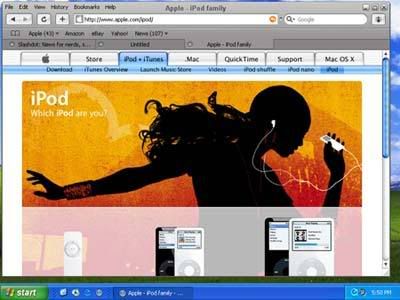
Safari 3 Keluaran Apple Browser tercepat mengalahkan ie 7, mozzila, opera

Browser Kilat Berfitur Padat

Sering internetan sambil cemberut karena browser berkecepatan siput? Hal itu tidak akan terjadi jika memakai rilisan terbaru Apple Inc., Safari 3. Peranti dunia maya yang diluncurkan 11 Juni lalu itu, merupakan default browser untuk Mac OS X v10.5 alias Leopard yang akan dirilis Oktober mendatang.

Safari 3 merupakan upgrade kedua untuk Apple Safari yang pertama kali dirilis 2003. Sebelumnya, Safari 2 beredar pada 2005. Kalau “abang”-nya diklaim sebagai browser tercepat, Safari 3 unggul di user interface yang familiar dan mudah digunakan. Apalagi, browser ini juga mampu dioperasikan di Windows XP dan Windows Vista.

Sejak kali pertama dirilis, kecepatan akses jadi ciri khas Safari. Kini lebih dahsyat. Di Windows XP, Safari 3 bisa loading dua kali lebih cepat dari Internet Explorer 7 dan 1,6 kali lebih singkat daripada Firefox 2. Jika memakai Leopard, ia bisa 2,5 kali lebih cepat dari Firefox 2 dan 4,3 kali lebih cepat dari Opera 9.

Tampilan Safari didominasi warna abu-abu. Membuat user lebih fokus pada halaman web yang diakses. Satu-satunya yang mencolok hanya pada scroll bewarna biru. Itupun semata-mata untuk mempermudah penggunaan.

Ruang untuk browsing lebih luas, sebab status bar yang cukup memakan ruang berpindah di address field. Safari 3 juga menggunakan tabbed browsing, sehingga user tidak perlu membuka banyak window untuk mengakses beberapa webpage sekaligus.

Safari 3 nampaknya benar-benar memanjakan netter. Fitur forms auto fill memungkinkan Safari mengisikan online form anda berdasarkan data dari address book atau form yang telah diisi sebelumnya.

Ingin mengakses situs-situs “tertentu” tanpa ketahuan? Safari menyediakan fitur private browsing. Aktifkan fitur ini, Safari secara otomatis tidak akan menyimpan hasil search google, cookies, download history, atau informasi lain yang telah anda isikan selama browsing.

Jika lupa mengaktifkan private browsing, kerahasiaan bisa tetap terjaga. Klik saja privacy reset, dan cache anda secara otomatis dikosongkan. Form dan search history pun ikut dihapus dari Safari.

Kedepannya, Safari juga menjadi default browser pada iPhone. Untuk rilisan selanjutnya, Apple berencana melengkapi produk ini dengan beberapa fitur tambahan yang bersifat global dan mengakomodasi kebutuhan user dari negara-negara lain.

Diantaranya metode input teks internasional, localized menus and help, serta advanced text lain. Benar-benar browser yang mewujudkan nyaris seluruh keinginan user. Ingin mencoba? Tidak perlu memeriksa dulu isi kantong anda. Karena versi beta sudah bisa di-download secara gratis dari situs resmi Apple. (rum/bs)

link download: http://www.apple.com/safari/download/

Dikutip dari :

Browser Kilat Berfitur Padat. http://jawapos.co.id/index.php?act=detail_c&id=290537

http://www.kangbudhi.wordpress.com

Lawrence Revere

Lawrence Revere - Blackjack Hall of Fame

Lawrence Revere was both an author and a serious player. He died in 1977. His only book, Playing Blackjack as a Business, initially published in 1969, is still in print. If you look at the "true count" methods being employed pre-Revere, you will see why Revere was inducted into the hall of fame. The earlier methods were cumbersome and mentally fatiguing to use. In the second edition of Beat the Dealer, in which Thorp first proposed the Hi-Lo Count, he mentioned a simplified method of using the count, though he failed to develop it as a full system. Revere had a leap of brilliance that led him to come to the conclusion that the simplified method of obtaining a "true count" that Thorp had mentioned could be fully developed and employed with the most powerful of point count systems. Revere's method was so simple compared to the alternatives, it has been employed by virtually every serious balanced point count system developer since, including Stanford Wong, Ken Uston, Lance Humble, Bryce Carlson, Arnold Snyder, and others. As a serious player, Revere's knowledge of blackjack

included such esoteric techniques as shuffle tracking and hole card play.

Tommy Hyland - Blackjack Hall of Fame

Tommy Hyland

Tommy began playing blackjack in 1978 while still in college. That was also the year he formed his first informal "team." He's never looked back. For more than twenty-five years, he has been running the longest-lasting and most successful blackjack team in the history of the game. He and his friends have played in casinos all over the U.S., Canada, and the world. He has used big player techniques, concealed computers, and had one of the most successful "ace location" teams ever. He has personally been barred, back-roomed, hand-cuffed, arrested, and even threatened with murder at gun-point by a casino owner he had beaten at the tables. Every year, the Hyland team players take millions of dollars out of the casinos. And even though Tommy has had his name and photo published in the notorious Griffin books more times than any other player in history, he continues to play and beat the games wherever legal blackjack games are offered. He has also fought for players' rights by battling the casinos in the courts.Despite his frightening reputation, Tommy is very polite, and always is a gentleman. He is as loved by players as he is hated by the casinos. In an interview conducted by Richard Munchkin in 2001, Tommy said, "If someone casino told me I could make $10 million a year working for it, I wouldn't even consider it. It wouldn't take me five minutes to turn it down ... I don't like casinos at all. I don't like how they ruin people's lives. I don't suppose the employment they provide is a worthwhile thing for those people. They're taking people that could be contributing to society and making them do a job that has no redeeming social value."

Get Cash With Upload File in ShareCash

ShareCash is a next-generation upload site, where you get paid CASH for every download you get! Simply register, upload files, and let the cash start rolling in!

What makes different

Unlike other upload websites that give you pathetically low prices, such as $10 for 1000 US downloads, well give you 30-60 cents PER DOWNLOAD! Thats $600 for 1000 US downloads - sixty times more than any other upload cash website!

Here are some assorted features:

  • Simple sign up. Start earning in less than 30 seconds!
  • Low cashout limit - get your money after earning only $10 !
  • Accepts any file type!
  • Super secure - your details, files, and earnings are safe with us!
  • Amazing support - contact us 24/7 for your every question or need!
Want to try? FREE REGISTER HERE

Laptop Gratis dari EZLAptop

Laptop memang sudah menjadi barang kebutuhan kita sehari-hari. Namun harganya yang masih cukup mahal membuat kita harus merogoh kocek lebih dalam untuk bisa membeli laptop. Tapi sekarang ada cara mudah untuk mendapatkan laptop secara GRATIS. Nggak percaya? Coba saja! Yang perlu anda dilakukan adalah :

1. Daftar gratis di sini. Gunakan alamat email yang valid.
2. Setelah menjadi anggota, Anda akan mendapatkan e-mail yang berisi pemberitahuan ada newsletter di inbox anda. Bacalah newsletter tersebut, dan get credit!
3. Begitu mendaftar, Anda akan mendapatkan bonus 5 credit.
4. Anda pun bisa mendapatkan credit dengan cara mengajak orang lain untuk bergabung.
5. Pendaftaran benar-benar gratis!

Kalau masih penasaran, coba saja. DAFTAR DI SINI.

Facebook dan Twitter Diserang Lagi

Berita Koran IT - Pertumbuhan teknologi canggih saat ini cukup sinkron dengan makin banyak bermunculan komunitas jejaring sosial. Dimana ternyata ini pun sepertinya mampu memancing perhatian dari banyak pihak entah itu positif ataupun negatif adanya. Kalau di sisi positif, seperti yang kita ketahui, website jejaring sosial sekelas Facebook ataupun Twitter cukup meraup banyak keuntungan apalagi dari segi iklannya sendiri. Lantas bagaimana kalau dilihat dari segi negatifnya?

Ya ternyata yang dikatakan di sini sebagai segi negatif yang muncul dari perhatian pada Facebook itu sendiri adalah terpaut dengan adanya serangan phising, lagi-lagi dengan serangan semacam ini, akun login Anda dapat dicuri dan digunakan oleh orang lain. Memang ini bukan kali pertama serangan mengancam Facebook maupun Twitter, tapi ini sepertinya masih berlanjut dari serangan yang ada dulu. Kini phising terbaru yang terjadi di Facebook maupun Twitter adalah para pengguna mendapatkan kiriman link yang bila diklik akan menghantarkan si pengguna pada halaman Facebook palsu, yang kalau Anda memasukkan login Anda, nantinya log dari akun Anda akan dicuri oleh orang yang tidak bertanggung jawab. Selain itu, Anda sendiri akan terserang malware. Dan serangan ini sendiri dikatakan seperti “drive by download”.


Saat ini lebih parah lagi, karena Twitter mulai dipalsukan tidak hanya dari segi halamannya saja, tapi dengan menggunakan Tiny URL dimana akan kelihatan url tersebut hampir-hampir mirip dengan Twitter. Wah, sepertinya kita harus jeli sekali melihat URL ketika kita login ya. Begitu juga hal senada diutarakan oleh Graham Cluley menanggapi hal serupa.


Di Facebook sendiri, banyak pesan berseliweran yang menggunakan subyek pesan ‘Hello’ dan di bagian isi sendiri menerangkan agar Anda mengklik “arept.at” atau apapun itu yang berakhiran dengan “.at” (tanpa kutip tentunya). Sebelum ini URL-URL tersebut akhirnya kalau diklik akan langsung menuju ke halaman palsu. Ini akan dapat mencuri alamat email dan password Anda. Dan nantinya akan secara otomatis mengganti password Anda dan mengirimkan email menggunakan email Anda tersebut ke pengguna Facebook lainnya.


Diduga di halaman website palsu ini dipasang Trojan.BHO. Namun kini sepertinya URL tersebut telah diblok bila Anda menggunakan Firefox dan akan ditandai sebagai “Web Forgery”.

“Orang yang berada di balik serangan Scam ini menyerang banyak alamat email pengguna dalam jumlah besar. Facebook secara cepat akan segera menutup semua referensi URL yang menuju halaman website tersebut dan akan menginformasikannya kepada penggunanya.


Salah satu wakil pembicara dari pihak Facebook sendiri, Barry Schnitt mengatakan bahwa “Efek dari serangan ini dan serangan sebelumnya bukanlah serangan yang menyeluruh dan hanya mempengaruhi sekian persen pengguna saja yang terkecoh dengan menggunakan URL singkat. Kami baru saja mengupdate sistem monitoring kami dengan sistem yang lebih canggih untuk dapat menangkal serangan minggu lalu, dan kami akan secara cepat mendeteksi serangan tiap minggunya.”

Beberapa tips yang dapat Anda gunakan agar akun Facebook Anda tidak terserang phising :
- Gunakan browser terbaru seperti Internet Explorer 8 atau Firefox 3.0.10
- Gunakan login dan password yang berbeda untuk login ke sistem yang berbeda
- Hati-hati dengan pesan atau link yang mengacu ke pada halaman login palsu
- Bergabunglah dengan komunitas Facebook Security Page (www.facebook.com/security) demi selalu up to date dengan informasi serangan terbaru yang menyerang Facebook.

Nah, maka berhati-hatilah jika Anda login, siapa tau di balik login akun Anda, ada bahaya mengantai kapan saja.

Medio Juni, Harga Windows 7 Diumumkan


Kompas.com

Berita Koran IT - Akan ada enam versi Windows 7, tetapi menurut Microsoft, dua versi utama akan sesuai dengan mayoritas konsumen: Windows 7 Home Premium dan Windows 7 Professional. Kedua versi inilah yang akan dijajakan secara ritel. Keempat versi lainnya adalah Starter, Home Basic, Ultimate, dan Enterprise. Belum diketahui, apakah harga Windows 7 akan berpola seperti Vista. Saat ini, Vista Home Basic dijual 199,95 dollar AS; Vista Home Premium 259,95 dollar AS; Vista Home Business 299,95 dollar AS; dan Vista Ultimate 319,95 dollar AS. Sebuah sumber memperkirakan bahwa Windows 7 akan dibanderol lebih tinggi dibandingkan Vista. Sekadar informasi, saat ini kebanyakan orang memilih untuk tidak memperbarui dari XP ke Vista, dan bahkan menurunkan dari Vista ke XP.

Browser Safari 4, Katanya Lebih Kencang Lho...

Kompas.com

Berita Koran IT - Ajang Apple's World Wide Developers Conference (WWDC) 2009 di San Fransisco, AS juga menjadi momentum dirilisnya Safari 4. Browser versi terbaru buatan Apple itu diklaim jauh lebih kencang untuk mengakses website daripada Internet Explorer 8, Firefox 3, dan Chrome.

Ini karena adanya peningkatan pada fitur Nitro Engine pada Safari 4 yang punya kemampuan empat kali lipat daripada Safari versi pendahulunya untuk membuka halaman-halaman web lebih cepat. Bahkan Apple sesumbar dengan fitur tersebut, browsernya dapat mengeksekusi JavaScript sekitar 8 kali lebih cepat daripada IE8 dan 4 kali lebih cepat daripada Firefox 3 berdasarkan pengujian iBench dan SunSpider.

Selain soal kecepatan eksekusi, Safari 4 juga menawarkan beberapa fitur baru yang mempermudah dan mempercepat pengguna untuk memilih website yang akan dikunjungi. Safari 4 menciptakan cara mengunjungi kembali halaman-halaman web yang pernah dibuka dengan lebih cepat dan mudah. Fitur-fitur tersebut antara lain TopSites, CoverFlow, dan Full History Search.

TopSites memberikan preview halaman-halaman situs favorit dalam satu halaman. Safari 4 akan melacak situs yang paling sering dikunjungi pengguna dan akan menempatkan 24 thumbnail situs paling favorit dalam halaman TopSites.

CoverFlow malah menampilkan tampilan semua halaman muka website yang pernah dikunjungi dan tersimpan dalam history dan bookmark. Bentuknya dibuat mirip sebuah buku dan untuk membuka halaman-halamannya cukup dengan menggeser kursor. Ini memudahkan pengguna untuk mengunjungi kembali halaman yang pernah dikunjunginya. Fitur seperti sebelumnya sudah diperkenalkan di iPod dan iPhone.

Jika pengguna lupa halaman apa mana yang pernah dilihat dan akan dikunjunginya lagi, gunakan Full Search History di halaman TopSites. Safari 4 menyimpan semua data teks di semua halaman web yang tersimpan dalam history.

Sebagian fitur-fitur tersebut sebenarnya mirip dengan yang ditaarkan Chrome buatan Google atau Opera terbaru. Namun, selalu yang membadakan software buatan Apple dengan lainnya adalah soal penampilan. Kesan 3D sangat kental di Safari 4. Jadi, coba saja kalau ingin membuktikan.

Safari tersedia dalam versi untuk Mac dan Windows. Software ini dapat diunduh cuma-cuma di halaman Apple.

Creating a bootable USB Ophcrack

Ophcrack is an open source Windows password cracking utility that uses rainbow tables to find passwords. It can be run from Windows, Linux or Live CD. The following tutorial explains how to install and boot Ophcrack from a portable USB device. Since the Live CD version (running from a SLAX core) is already available, creating USB Ophcrack is similar to converting any other Live Linux CD to USB.


Tools used to create USB Ophcrack:

  • Windows Computer (Windows XP is used here)
  • 512 MB or larger portable device (USB stick)
  • Ophcrack Live CD and usboph.zip

Creating bootable USB Ophcrack:

  1. First, create a "New Directory" to house your work
  2. Download Ophcrack Live CD to the new directory
  3. Download and extract usboph.zip to the new directory
  4. Click fixoph.bat and follow the onscreen instructions
  5. Copy all the files from the Ophcrack directory to your USB device
  6. From your USB device, click makeboot.bat and follow the instructions to make the drive bootable
  7. Reboot your PC and set your BIOS boot menu to boot from the USB device

If all goes well, you should be booting from the USB stick into a mini SLAX environment. Ophcrack is launched automatically after boot.

Source : http://www.pendrivelinux.com/creating-a-bootable-usb-ophcrack/

Tips for playing online roulette

When you look at the welcome bonus and all the other benefits from joining an online casino, playing online has real advantages over the real world alternatives. Because the virtual operation does not need a major building and significant number of people to run the games, all that saving can go into financial benefits for members. If you play regularly enough and qualify for VIP membership, you can find the casino more financially generous than through the real world comps. Nevertheless, you still need to play smart to give yourself the best chance of winning more than you lose.

How can you improve your chances of winning? Well, the bad news is you have to study. Even though every spin of the wheel is an independent event and what has happened has no bearing on what will happen, you still have to know all the rules and what the odds are on each bet. This is a game of chance, but which game you decide to play and how you bet can affect the outcome.

As you know from the information contained on other parts of this site, there are two versions of the game. The difference between the two lies in the number of zeros, i.e. if the ball lands on a zero, the house takes some or all of the bets depending on the local rules. In the European version, there is only one zero. This makes the house edge 2.63%. In the American version, there are two zeros. The house edge doubles to 5.26%. Thus, if you have the choice, always play the European version because this gives the house the lowest advantage. Always check the local rules. If the house plays the en prison rule, all even money bets stay on the table for the next spin of the wheel if a zero comes up. This has the effect of further reducing the European house edge to 1.35%, i.e. this version of the game gives you the best chance of winning. Now learn how to calculate the odds and always play the bets giving you the best chance of winning and avoid the bets with the worst odds. The following is a simple guide:


  • single number bets including zero and double zero 35:1

  • two neighboring numbers 17:1

  • any three numbers in a row 11:1

  • any of the four touching numbers in a corner 8:1

  • five numbers, e.g. 1,2,3,0,00 6:1

  • any six numbers in two rows 5:1

  • any twelve numbers in a column 2:1

  • dozens 2:1

  • red/black, odd/even 1:1

Now the choice is yours. If you are playing roulette for "profit", set yourself a limit on the amount your are prepared to lose. Then play the bets with the bigger returns. If your luck is in and you hit one or two times, take your winnings. You can enjoy the rest of the evening at the casino's expense. The worst mistake anyone can make is to be seduced by the idea of a hot streak. The reality is clear. If you keep on playing online roulette, you will lose all your winnings.

The Great Cheap Holiday

Do you have a plan hire a car in France and go to camping in your holiday this year? With your friends or with someone special for you maybe. Offcourse you will need a car to hire. Still confuse to rent a car in France. Don't worry about that. Here the best car rental in France. easycar.com with the low cost, online car hire specialist, is one of the leading international car rental brokers with a worldwide network of more than 2,400 car hire locations in over 60 countries. easyCar offers a wide range of vehicles for your car hire from super-mini and compact cars to MPV's and luxury cars at great value for money. I think you will agree with me.
What about camping equipment? To get the great holiday offcourse you needs the best camping equipment to get enjoy camping. Maybe I can tell you one of the best place to get camping equipment for your holiday. It's very good place, include number one service for you, I think you will get many benefit and saving your money and your time to shopping. SaveBucket is one of the best shop online for you. Savebuckets provides an excellent selection of camping equipment, tents, sleeping bags, portable stoves and lots, lots more all at the touch of a button. It's very simple for you to get all your needed about camping equipment.
All you needs for camping equipement such as tent available here. With cheap prize, you will saving your money and get the best quality product. I think you will need tent for trekking outdoor.

The Best of Direct TV Service

I know, many of you like TV very much. TV can give us entertain to spend time. And I know, there many of you use TV cable or direct TV service. Do you fell that your television program it not enough to entertain you everyday? Need more TV program that give you more and more entertainm? Do you have a plan to use Direct TV? Confuse to choose Direct TV Service? Don't worry. I'll tell one of the best Direct TV Service in the world. Just visit Direct TV Sat.
You will get many advantage of the best DIRECTV packages in the industry. Direct Sat TV guarantees to meet or beat any other Sat TV deal. Direct Sat TV has many packages that you can choose and it's more complete than packages from another cable provider in the world. With various packages, you can choose the right packages for you, including the minim budget.
Direct TV Sat is a leader among Satellite Television providers. DIRECT SAT TV has more than 250 channel that you can choose with very easy way and less money. With professional and number one service, you will get more and more advantages and benefit. There any many package that you can choose. It's simple and very easy. Just try it!

Kategori

055CXPRO3 100Hz 1024x768 1080ip 1080p 10MP 10xOptical 121MP 121Megapixels 121megapixel 12Channel 12Ounce 141MP 165LBS 18Volt 19YearOlds 23Inch 240ml 25quot 2746 27Inch 2Pack 30Inch 3255 3265 3265Inch 32Inch 37Inch 37LV3500 3Inch 412Inch 46G310U 46Inch 46Inches 46LA45RQ 46PFL5706F7 46SL412U 46SL417U 46quot 47Inch 5460Inch 55Inch 58Inch 5Piece 60Watt 6by9Inch 732YB482K 800x600 812Inch 998864 ALAMPLB APTMM2B ATHM50 Accessory Add-ons Mozilla Adsense Advertising Advice Affect Affordable Alexa American Amplifier Android Annies Antenna Anti Virus Antivirus Antivirus Update Aperture Appetite Aquapac Articulating Attic AudioTechnica Automatic Available BC12062 BDPS570 BRAVIA BRPK3AN Backlink Backpack Backrest Bamboo Basics Bathroom Batteries Battery Battle Bedding Bedroom Bedrooms Beechwood Before Beginners Benefits Berita Berita Terbaru Better Between Bicycle Binoculars Birthday Bisnis Internet Black Blackberry Blanket Blog Blossom BluRay Blue BlueSilver BoltOn Bose Boyfriend Bracket Brackets Brand Breakfast Brightess Bringing Brother Bubble Building Bundle Burning Butter Buyers Buying CINNAMON CX3800 CX3810 CX4200 CX4300 CX4600 CX4800 CX5000C CX7400 CX7800 Cabinet Cabinets Camcorders Camera Cameras Capacity Cara Bisnis Online Cara Recovery Data Cara Self Test Printer Cara Service Elektronik Cara Service Harddisk Cara Service Jaringan Cara Service Komputer Cara Service Laptop Cara Service Monitor Cara Service Ponsel Cara Service Printer Cara Service TV Cara Service UPS Carbide Carbon Carved Castings Castle Ceiling Celebrate Celtic Chairs Changeable Changing Charger Charlie Chatbox Cheapest Cheetah Cherry Chocolate Choose Choosing Chopsticks Christmas Cinderblock Cleaning Closer Coaxial Coffee Collapsible Collection College Color Column Combination Comforter Compact Companies Company Compare Compared Comparing Compatible Computer Concept Concrete Consider Consumer Contemporary Control Convertible Cooker Cooler Coolpix Cordless Corner Cotton Crafting Creating Creative Crochet Crocheter Css Cubbies Cutting Cybershot DC91802 DEWALT DMCLX5 DMCS1 DMCS3 DMCTS2 DMCTS3 DMCZS5 DMCZS9 DSCH70 DSCT10 DSCT90 DSCW310BLDB Danica Dawson Decorate Decorating Definition Delight Deluxe Design Designer Development Device Dietary Difference Different Digital Digital Camera Canon Digital Camera Canon Powershot Digital Camera Fujifilm Digital Camera Lens Digital Camera Nikon Digital Camera Panasonic Digital SLR Camera Discover Display Displays Distressed Distribution Dofollow Dollars Domain Dreams Drilling Drills Driver Drivers Drives Dumbbell Dymatize E-book Gratis E370VA E470VLE EA8080 ECES80 ECST65 ELPLP49 EXFH20 EXZ75 Earthquake EasyShare Ebook Edition Effective Egyptian Emoticons Entertainment Ericsson Espresseria Espresso Essentials Ethernet Everyone Everything Excellent Exchange Exilim Experience Explained Extended Extremely Facebook Family Fantastic Fashionable Fashions Faucet Features Fermented Fibromyalgia Finding FinePix Finish Firmness Follow Format Formula Foundation Freaks Free Software Freeware Fujifilm Function Furniture Future Game Gratis Keren Gaming Generation Getting Girlfriend Glasses GoPro Camera Goggles Google Adsense Google Friend Connect Google Translate Google+ Grey Grinder HTML Hacking Halloween Handheld Handlebar Handset Headboard Headphones Headset HighPerformance Hitachi Hollywood Homemade Homework Housing Husks Ilmu Komputer Images Imageshack Importance Important Includes Infant Info Aksessoris Komputer Info Software Information Integrated Intelligent Interface Interlock International Internet Networking Internet Business Istilah-Istilah Komputer - TI Jacquard KDL46BX420 KDL46EX403U KDL46EX500 KDL46NX810 KDL46S5100 Kegerator Kidkraft Kikkerland Kitchen LBOAS LC46D78UN LC46LE830U LCDDLP LCDDVD LCDNotebook LEDLCD LHB976 LN32B360 LN32D450 LN46A650 LN46B550 LN46B650 LN46B650T LN46C530 LN46C630 LN46C750 LN46D503 LN46D550 LN46D630 LNS4695D Ladies Lain-lain Laptops Leather Lenovo Lensbaby Lenses Lightning Lights Limited Linux Lipper Literature Lithium LithiumIon Little Lumens M1924A MF607B MFC8670 MP248B MPEG124 MX1260 Magnesium Magnetic Maintenance Management Manfrotto Mansion Marketplace Matte Mattress Measurements MegaPixel Megapixels Menu Horizontal Menu Vertical Microwave MinoHD Minolta Mobile Model Models Modern Modulator Module Monitor Monitors Motion Mountable Mounting Mounts Movies Moving MultiPurpose MultiSpeaker Multiroom Muscle Muscles MustHave NSX46GT1 Natural Nautical Newborn Nintendo Nobodys NonFerrous Notebook Novice Nursery Nutrition Nutritional Olympus Opened Optical Optimum Optimus Options Optoma Organic Original Ottoman Ottomans Outing Outstanding Overhead Pagerank Painting Pair Panasonic Panduan Service Monitor I Panduan Service Monitor II Pastures Personally Philips Phones Photographers Photographs Photography Picking Pictures Pieces Pillows Pink Pinpoint Pixels Plasma Plastic Platinum PlaySport PlayStation Player Pleasure Pocket Polaroid Popular Possible Posters Pounds Powder PowerShot Powered Powerful PreCharged Preparations Presentations Pressure Preview Princess Principle Printer Printers Prints Processor Product Product Review Products Professional Profile Projector Projectors Protector Protein Psyllium Public Pumpkin Purchase Purple Quality Quattron Quickly Quilted RSS FEED RTB1100 Rayovac Reader Really Reasons Rectangle RedCyan Reduction Reference Refresh Release Remote Replace Replacement Reports Research Resetter Canon Resetter Epson Resetter HP Resolution Results Reticle Review Reviews Riding Riflescope Rimfire RoomWithAView RoundAndRound RuggedWaterproof SD780IS SDSDHCMMC SEO SPDIF SS1000 SSeries SX10IS SX130IS SX20IS SX210IS SX230HS Safety Sakura Samsung Satisfactory Screen Screens Scrutiny Seating Seatpost Secrets Section Seniors Sensational Sensor Series Serious Service Elektronik Service Komputer Laptop Service Printer Canon Service Printer Epson Service Printer HP Service Printer Laser Jet Sharpener Sheets Shelved Shelves Shelving Should Silicone Silver Sitemap Slender Software Gratis Pilihan Soldering Solutions Sooner Sourcing Spacesaver Speakers Speaking Sports Squeeze Stabilized Standard Standing Stands Staying Steady Stools Storage Streaming Strict Stripe Stripes Students Studio Stylish Subwoofer Suggestions Summer Suncast Supplements Suppress Surround Susan Swivel Swiveling System T90dvfdblack TBS421601 TCP46S30 TS8GSDHC6E TVProtectorTM Tables Tablet TechFuel Technology Teens Television Televisions Templates Terminology Theater Themed Therapy Think Thinkpad Timelines Tip Trik Internet Tip Trik Windows Tipped Tips Blogger-Blogspot Tips Blogging Tips Blogspot Tips HTML dan JavaScript Tips Keamanan Komputer Tips PHP Tips Visual Basic Tips Windows Vista Tips Windows XP Tips and Tricks Tips dan Trik Tips-Tutorial Photoshop Toddler Toilet TopSelling Toppers Torpedo Toshiba Touchscreen Transcend Transmitter Travel TraysTables Treatment Tripod Turtle Tutorial Blogspot Tutorial Wordpress TwinFull Twitter Twitter Stuff UM720S UN46B6000 UN46D6000 UN46D6400 UN55B8000 Ukur Komponen Elektronika UltraHD Understanding Underwater Universal V13H010L49 VariAngle Vaulted Vibration Video VideoSecu Viewing Vision Vitamin WAH1111BA0850 WPS18MP Wallet Walls Warta Terkini Waterproof Wave Website Weight WellOrganized Weller Western Whats White Wholesale WideAngle Widgets Windows Windows Tips Winsome Wireless Within Without Wooden Working X500BK ZoomNikkor accept awning cpu foursquare heello iPhone latex mattresses memory pc troubleshouting tx1000